Sony DHG-HDD250 / DHG-HDD500 Useful Info


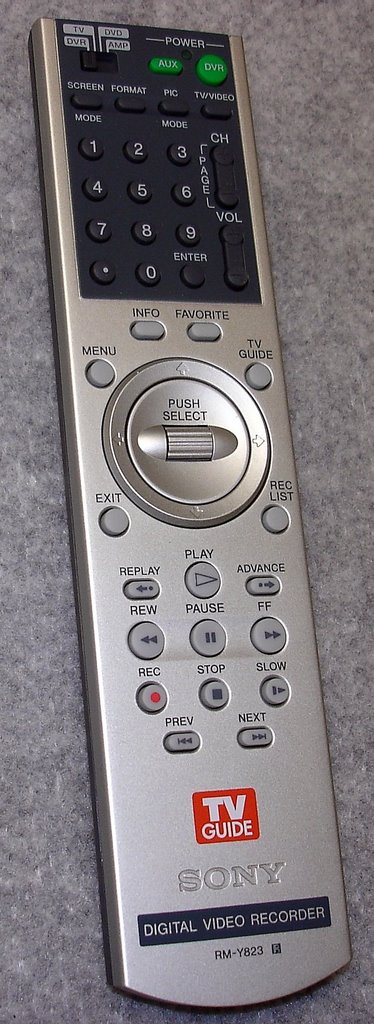 Sony Remote RM-Y823
How the TV Guide Works
- The TV Guide is broadcast over PBS stations (twice per day, 1:00am and 1:00pm).
- The information should be received over the PBS cable analog station (you can use the analog OTA PBS station, just not sure it will provide cable listings as well). Note: apparently there is a conflict with TV Guide being received over the digital station (so it is not recommended; not sure this is true).
- At 1:00pm, a partial TV Guide download is performed on PBS (I assume for programming corrections).
- At 1:00am, a full download is performed.
- Note, the DVR must be in the stand-by mode to receive the TV Guide data feeds from PBS.
- First time use: place DVR on your PBS analog cable channel and power unit off (stand-by mode).
- This allows the TV Guide to be downloaded for the first time. The unit also remembers this channel as the soruce channel for future TV Guide data feeds from that point forward.
- The TV Guide is a 3rd Party service. Not sure if these links are accurate, but, here are two that may provide additional information:
- http://www.pbs.org/remotecontrol/basic/schedules_troubleshooting_FAQs.htm
- http://online.tvguide.com/
To Test the TV Guide Channel on your Sony DVR
- Place the DVR channel on the PBS Analog Cable Channel (use the OTA channel if you don't have cable connected). I understand selecting the digital PBS station will not work correctly (not sure that this is true).
- On your remote, press the Menu button (a menu will appear). Then;
- Press the Screen button. Then;
- Press 9 0 1 2
- Another menu beginning with “Demo” will appear
- Scroll to and select “TV Guide”. Then
- Scroll to and select “G* Factory Test”
- In the left-hand smaller pane of your TV, if the correct PBS channel, after about 5 seconds, the VBI Test (2nd item) will say “pass”.
- In the right-hand larger pane, the VBI value under the “Good” column should begin to increase in value.
- If #8 and #9 are true, you have the correct station for getting the TV Guide (if not, start over and try a different PBS channel in step #1)
- Press the Exit button to quit
To Reset the Unit
- if the DVR's "Welcome" display comes on and stays on, try unplugging the unit and plug it back in.
- You can also reset the unit by simultaneously pressing and holding the “menu” and TV Guide” buttons on the front of the unit.
How to Record Programming
- Click on the Sony Support logo at the top of this page
- Go to the Manuals/Specs/Warrant link
- View Operation Manual
- Check out pp 53-55
Additional Information
http://www.spiffspace.com/sonydvr.html
posted by Sizarro @ 9:46 AM
0 comments

